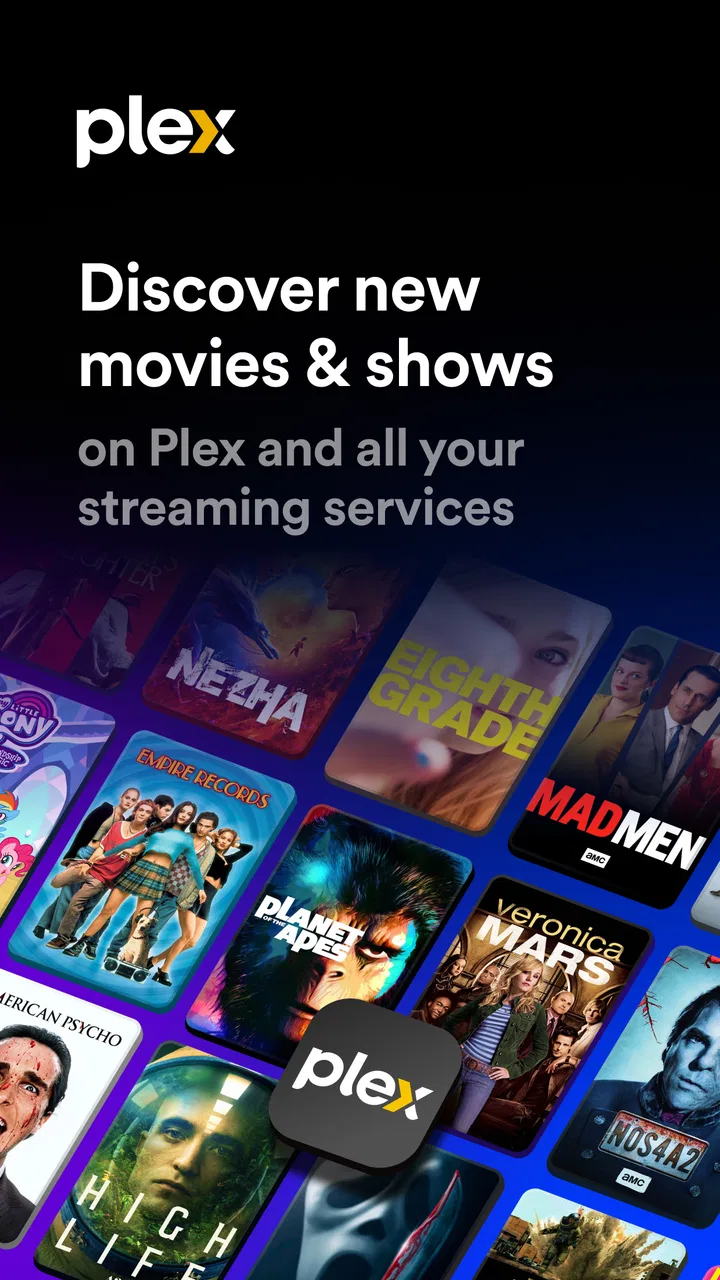
Plex: Find Movies & TV Shows
- 3.6
- Rating
- 100.00M
- Installs
- Free
- Price

 Analysis by App-foxy
I usually open a streaming app with one simple question: what can I watch right now without wasting half an hour searching? Plex: Find Movies & TV Shows is built around that problem. It is a free entertainment app from Plex, Inc. that brings together its own library of movies and television shows while also helping me find where other titles are available. That makes it more useful as a viewing guide than as a single replacement for every service I already use.
After spending time with it, I see Plex as a practical middle ground between a free streaming catalog and a search tool for a fragmented streaming world. It can help when I remember a title but not which service carries it, and it can also give me something to watch when I do not have a plan at all. The experience is not completely frictionless, though. The handoff from discovery to watching can vary, and the amount of choice sometimes creates the same indecision the app is meant to solve.
From “what should I watch?” to a realistic viewing choice
The app makes the most sense in an everyday situation: I have a quiet evening, open my phone, and want a film or show without checking several separate services. Instead of beginning with a subscription I already pay for, I can use Plex as the first search point. I might start with a remembered title, browse by mood, or simply look through the available free selection.
You May Also Like

 AccuWeather: Weather Radar
AccuWeather Review: A Quick, Clear Forecast for Everyday Decisions
For everyday plans, the best forecast is the one you can understand quickly. AccuWeather makes rain timing, radar, and local conditions easy to act on, with a few trade-offs.

 Hill Climb Racing
Why Hill Climb Racing Still Turns Crashes Into One More Run
A tiny car, a bumpy hill and one more upgrade: Hill Climb Racing keeps resurfacing because its simple chaos makes every near-miss feel personal.

 AliExpress - Shopping App
AliExpress Makes Global Shopping Feel Personal, but Shoppers Bear the Risk
AliExpress turns a global marketplace into a pocket-sized discovery engine. Its reach is useful, its shopping loop compelling, and its trade-offs easy to miss.

 Lords Mobile: Kingdom Wars
Lords Mobile Is a Kingdom-Building Routine, Not a Quick Match
A case-by-case verdict on the building, battles, device demands, and social commitments that make Lords Mobile rewarding for some players and exhausting for others.

 PDF Scanner app - TapScanner
TapScanner Makes Paperwork Easier to Capture, Check, and Share
TapScanner makes scanning with a phone feel less like a rescue operation and more like a dependable step in getting work done. Its capture tools are useful, though not flawless.

 Block Blast!
 Shows How Much a Puzzle Game Can Leave Out
A quiet grid game shows why puzzle players increasingly value instant clarity, repeatable skill and low-pressure play—and where the genre still needs to catch up.
More From Our News Desk
View All News


That starting position is important because Plex is not only presenting one closed catalog. Its purpose is split between showing content available through Plex and helping me locate viewing options elsewhere. In practice, that means I need to pay attention to what each result actually offers. A title may lead directly into playback, while another may point me toward a different service or viewing route.
I found this approach more useful than opening several apps one after another. It reduces the mental work of remembering where something lives. It is especially helpful for a household where different people use different services, or for someone who does not want another paid subscription simply to watch an occasional movie.
There is also a useful distinction between discovery and ownership. Plex can help me find a title, but finding it does not automatically mean I can watch it immediately at no cost. That sounds obvious, yet it is the detail most likely to affect whether the app feels convenient. I recommend treating search results as a decision screen first, then checking the viewing route before settling in.
How I move through the app
My preferred workflow begins with a specific title. Searching by name is usually more efficient than browsing endlessly, especially when I already know what I want. Once the result appears, I check whether Plex offers the viewing option directly or whether the app is helping me locate it elsewhere. This small pause prevents the common disappointment of assuming every result belongs to the same free library.
When I have no title in mind, browsing becomes more valuable. I can explore the free catalog and use the app as a source of suggestions rather than relying on a separate recommendation routine. This is where Plex works well for casual viewing: I can arrive with no plan and still leave with a shortlist.
My practical tip is to create a short decision rule before browsing. For example, I might choose one film under a certain length, one television episode, or one option that is available without another sign-in. Without a limit, the breadth of the catalog and the presence of outside viewing options can turn selection into another task.
The app is available at no upfront cost, which makes trying this workflow easy. It is rated for Teen audiences, so families should still look at the individual title rather than assuming that the presence of a general entertainment app makes every selection suitable for children. Plex itself is a broad doorway; the content choice still needs adult judgment when younger viewers are involved.
The handoff between discovery and playback
The most important part of the experience is the handoff. If I select something available through Plex, the transition from information to playback feels like the natural outcome of the search. I can move from deciding to watching without rebuilding the search in another app. That is the strongest version of the product’s promise.
The handoff is less direct when Plex is acting as a locator. In that situation, the app has completed the discovery job, but another service may still be part of the viewing process. I may need to switch applications, confirm access, or reconsider the title if the route is less convenient than expected. Plex does not remove every boundary between streaming platforms; it makes those boundaries easier to see.
This is also where Plex differs from a conventional subscription streaming app. A single-service app can feel simpler once I am already committed to its catalog, because every result is designed to lead toward the same playback environment. Plex is more flexible, but that flexibility introduces a little more interpretation. I gain a wider starting point and lose some consistency at the finish.
For a shared television, this matters even more than it does on a phone. On a small screen, moving between apps is a minor annoyance. In a living-room session, it can interrupt the group decision and make everyone reconsider whether the title is worth the effort. I would use Plex to narrow the choices before handing the phone to the person controlling the television, rather than expecting the entire group to browse without a plan.
What the free model means in daily use
Plex is free to download and use, while in-app purchases range from $0.99 to $324.99 per item. That broad purchase range is a reason to stay attentive to any upgrade or paid option shown during use. A free entry point is valuable, but I would not treat every feature or viewing path as automatically included in the basic experience.
My advice is simple: decide what you are trying to accomplish before spending anything. If the goal is to find a free movie for tonight, begin with the free library and see whether it meets that need. If the goal is to use Plex as a more complete media solution, then examine each paid choice on its own terms instead of assuming that one purchase changes everything.
The free catalog can be a good fit for occasional viewers, people between subscriptions, and households that want extra choices without immediately adding another monthly bill. It is less compelling for someone who expects a carefully controlled premium catalog with the newest releases always available. Plex is strongest when I value breadth and discovery more than a guaranteed, uniform route to every title.
Another practical trade-off is attention. Free viewing can make the app financially accessible, but I may spend more time comparing options, checking availability, or moving between services. The money-saving benefit is real only if I am comfortable paying with a little extra browsing time.
Concrete workflows that make Plex more useful
One workflow I found particularly effective is the “title first, service second” method. I write down or search for the film I want, use Plex to identify possible viewing routes, and only then decide whether the available option fits my evening. This is better than opening a service at random, because it keeps the decision centered on the title rather than on whichever home screen happens to appear first.
A second workflow is useful for group viewing. Before asking everyone to choose, I make a small shortlist from Plex and remove anything that requires an inconvenient handoff. The group then chooses between realistic options instead of debating titles that are difficult to access. This turns Plex into a preparation tool, not just a browsing screen.
A third tip is to use the app differently depending on how certain I am. When I know the exact title, I treat Plex as a locator. When I only know the mood, I treat it as a catalog. Mixing those two intentions without noticing can make the interface feel less focused, because a search tool and a recommendation shelf answer different questions.
I also find it helpful to check the result details before promising a movie to someone else. Availability can be the difference between an immediate start and a second round of searching. That extra check takes little time and avoids the familiar situation where a group agrees on a film only to discover that the apparent option is not the convenient one.
Where it compares well with familiar alternatives
Compared with opening a single subscription streaming service, Plex gives me a broader starting point. I am not limited to remembering which service I pay for, and I can search with the expectation that the app may help locate a title beyond its own free selection. That is its clearest advantage.
Compared with a simple search engine, Plex feels more focused on the act of choosing something to watch. A general search can produce scattered results, while Plex keeps the task within an entertainment context. I still need to judge the final viewing route, but the path from title to option is more relevant than a broad web search.
Compared with a premium, single-catalog service, Plex can feel less predictable. A subscription app usually gives me a consistent interface and a direct relationship between selection and playback. Plex can offer more discovery flexibility, but the result may involve another service or a different kind of access. I would choose Plex when I want to compare possibilities, not when I demand that every search end in the same player.
Compared with a television guide, Plex is more useful for on-demand decisions. I can approach it with a title or a mood instead of following a fixed broadcast schedule. The trade-off is that the number of choices can be larger, so I need a method for stopping the search.
Who will enjoy it, and who should skip it
I would recommend Plex to someone who regularly forgets where a movie is available, watches a mix of free and paid content, or wants a single place to begin an evening search. It is also a sensible option for people who do not want to commit to another subscription before knowing whether a catalog fits their tastes.
It suits occasional viewers particularly well. If I watch only now and then, a free entertainment app that combines viewing options with title discovery can be more practical than maintaining several services. It also works for a household that likes browsing together, provided one person is willing to verify the handoff before the final choice.
I would be more cautious recommending it to someone who wants only the newest releases, a completely uniform catalog, or a child-focused environment with no need to inspect individual titles. Plex’s Teen content rating and broad entertainment scope mean that parents should remain involved in choosing what younger viewers watch.
I would also skip it as my main solution if I dislike switching between services. The app can reduce the number of places I search, but it cannot make every title available in one identical way. For a viewer who values simplicity above range, a single familiar service may still be the better daily choice.
Points of friction I would plan around
The first limitation is expectation management. The phrase “find” can mean several things: find inside Plex, find a free option, or find where a title is available. Those outcomes are related but not identical. I get the best experience when I read the result as a guide and confirm the next step instead of assuming that discovery equals playback.
The second limitation is the risk of browsing too long. Because Plex can serve both as a free catalog and a wider locator, I may encounter more possibilities than I actually need. A short list, a time limit, or a clear preference for free viewing keeps the app from becoming another source of decision fatigue.
The third limitation concerns paid choices. The app costs nothing to start, but the presence of in-app purchases means I should pay attention to what I select. I would avoid making a purchase simply because I have already invested time in searching. If a title requires a route I do not want, returning to the free catalog is often the more sensible decision.
There is also a social friction that is easy to overlook. When I am alone, moving from Plex to another service is manageable. When several people are waiting, the same step can feel disruptive. For group use, I recommend doing the discovery phase before everyone sits down, then using Plex as the source of a confirmed shortlist.
My outcome after using the complete workflow
When the process works, Plex turns an uncertain starting point into a clear viewing decision. I begin with either a title or a mood, search or browse, inspect the access route, and then choose whether to watch through Plex or continue elsewhere. The result is not always instant playback, but it is usually a better-informed choice than opening services at random.
The app’s scale reflects that this problem is common: it has passed 50 million installs, with an average rating of 3.7 from roughly 474 thousand ratings. Those figures suggest a widely used product with a mixed but substantial response, which matches my impression. Plex is useful and distinctive, but its value depends heavily on whether I appreciate a discovery layer that sometimes leads beyond the app itself.
Plex, Inc. has made a tool for the messy reality of modern viewing rather than pretending every title lives in one place. I like that honesty in the workflow. The app helps me search, compare, and begin watching, but I still need to make the final access decision. That is both its strength and its central compromise.
My final recommendation is to try it as a starting point, especially if you often ask where a particular movie or show can be watched. Keep expectations realistic, check the handoff before settling on a title, and use a shortlist when browsing with other people. Plex is at its best when it saves me from searching everywhere, not when I expect it to replace every streaming service.
FAQs for Plex: Find Movies & TV Shows
01What is Plex and how does it work?
Plex is a versatile streaming service that allows users to organize and stream their personal media collections alongside a vast library of free movies and TV shows. It works by setting up a server on your device, which can be accessed from any device with the Plex app, providing seamless access to your content anywhere.
02Is Plex free to use, and what features are included in the free version?
Yes, Plex offers a free version that includes access to a wide range of movies and TV shows, as well as the ability to organize and stream your personal media library. However, some advanced features such as live TV, DVR, and premium music libraries are available only through a Plex Pass subscription.
03What devices are compatible with Plex?
Plex is compatible with a wide variety of devices, including smartphones, tablets, smart TVs, streaming devices like Roku and Amazon Fire TV, gaming consoles such as PlayStation and Xbox, and even web browsers. This ensures that you can access your media from virtually anywhere.
04How is the content quality on Plex, and are there ads?
Plex offers high-quality streams, with many movies and TV shows available in HD. The free version does include ads, which appear during the streaming of free content. However, personal media streams are ad-free. Plex Pass subscribers may also enjoy additional features that enhance the viewing experience.
05Can I share my Plex library with others?
Yes, Plex allows you to share your media library with friends and family. You can invite users to access your library by creating managed accounts, offering them access to your collection without needing a separate Plex account. This feature makes it easy to share your media with others securely.
Pros
- User-friendly interface for seamless navigation.
- Extensive library of movies and TV shows.
- Customizable watchlists for better organization.
- Offers both free and premium content options.
- Cross-platform support for diverse devices.
Cons
- Advertisements in free version can be intrusive.
- Some premium features require a subscription.
- Limited offline viewing options available.
- Content library may vary by region.
- Initial setup can be slightly complex.

Plex: Find Movies & TV Shows
Gallery